Hey everyone!
Here are the links to the two lectures I've done so far.
The first is all about layout, with focused areas on composition, shot types, and editing styles. For those groups that are creating shorts, make sure to really look through this presentation and it's examples.
The second is the modeling presentation that I gave on Monday. It is mostly discussion on terms and tools associated with mesh modeling, but it has a bunch of reference websites at the end to look at if you have questions.
https://docs.google.com/presentation/d/1KtADNdwi2bJi0viQqRRAsLCEgEJWZHw4Y-FFdYcXT1w/edit?usp=sharing
https://docs.google.com/presentation/d/1TRGdff0axm1umYSBhp2tHb04MT3Io6uy7SRY-Sa04os/edit?usp=sharing
I just want to say, good luck, we're all counting on you....
Josh
Tuesday, February 9, 2016

Monday, February 8, 2016
REVIEW WED. FEB 8
For the review on Wednesday, Feb. 8, please collect your group's work into one blog post with these elements:
1. Title of group and log line first
2. Group schedule
3. Individual progress by name + evidence of progress (screen grabs, cellphone pics of thumbnails, sketches, etc.)
We will begin reviewing groups at 1:50 and will spend an equal amount of time with each group.
If you link to GDrive please make sure permissions are set to read/edit.
1. Title of group and log line first
2. Group schedule
3. Individual progress by name + evidence of progress (screen grabs, cellphone pics of thumbnails, sketches, etc.)
We will begin reviewing groups at 1:50 and will spend an equal amount of time with each group.
If you link to GDrive please make sure permissions are set to read/edit.
BEN HOUSE ON UNREAL ENGINE - LECTURE
Ben House lecture Unreal Engine
65,000 polygon count in tri’s per asset
“unsigned integer” is 2 to 15th power
Don’t over do lights, be efficient
Directional image and physics based lighting ok
Gear VR development - Eric Ragan’s platform
Render at 60 fps video games; 70 fps for VR games — can shoot for 90 fps…lower, tearing and engine doesn’t work as well, sickeness ensues
If Head Mounted Display is plugged in and checkbox selected, will port right into the right app when you open UE.
UE steep learning curve. Unity is easier
One person modeling, bring into UE, once successful, then the animator comes in later.
Documentation:
“VR cheat sheet” <—Good documentation
Enter = full screen mode
CTRL + R = Reset orientation
Which direction you start game in is what it runs in.
It anticipates your desk position for example
Start project as C++, will build for Visual Studio.
Better optimized, stable, performance
Bluepring = Unreal scripting lang. built on C++
VR - choose “first person” template, incllude starter content, set target HW (desktop, console), VR (mobile tablet)
Can change this later and it will reflow for a change in delivery platform.
Naming: must start with a capital alpha letter. Special char’s none; only alpha characters and underscores because of C++
Read VR Development Docs - before beginning
Maya:
Scale is in real world centimeters: game engines need to render at scale. Grid options: 1024, 512 and 32 subdivisions. So 6 squares tall = height of character.
To import this to UE, set up in Maya:
Smoothing is part of the Maya SW; for example, when yoiu press “3.” If a subdiv preview, it thinks it’s for Mental Ray.
Practice modeling in “1” to get mesh looking like you want; then press “3” to see if you still think it’s okay.
When import to UE, it looks like “1” setting in Maya.
Pivot points are relative to the origin in Maya. Pivots should be set to 0,0 for exporting. In Maya, if object is not at pivot point, weird motion happens.
Before exporting from Maya,
Modify/freeze transformations and set scale factors to 1, delete by type history
Export from Maya:
Make sure you delete extra objects before you import to UE.
Change file type to FBX export.
On file type specifics, check “smoothing groups,” “smooth mesh” and “triangulate.”
Z and Y axes are flipped in UE from Maya. In UE, z = up/down, x and y are planar surfaces. In Maya it’s y = up and z is depth. You can change this in Maya preferences. So, if your objects are importing sideways, check this.
UE — Need to have Gear VR drivers pre-installed and enabled for the Head Mounted Displays.
Organize your outliner so you can find things. Name things sensibly so when it gets complex you can find things.
Details panel for each object. Clicking on object, then details panel shows transforms, static/dynamic, etc.
Content browser: all assets in project. Makes a copy of the asset, converts to UE, and puts in project directory, so you have 2 copies. Can re-import, make changes, and copy updates across all instances. FBX import options: “auto generate collisions” is a good thing to choose. If importing static mesh, don’t click “import skeletal.” UE separates and re-binds rig based on skin weights. Rig is imported separately in UE from the mesh (breaks and recombines what you import so you import once, and then UE assigns a single animation set to many objects)
If your collision box is weirdly large around the object, check to see if you didn’t include extra objects off to the side in Maya when you exported.
CTL + S = save all; saves everything. Do this often, like every 15 seconds, especially when programming.
UE Material editor: Instead of bump maps, it uses normal maps that show depth through blue red ranges. People doing materials use the Substance Designer, it is good and easy to use and better than Photoshop.
W, E, R = translate, rotate, scale in both Maya and UE
Collision avoidance is set to the object(s) imported. Example, two blocks are a doorway but can’t go through. Can fix this in UE “increase accuracy” on auto convex collision.
The more collisions you have on objects the heavier the game. If your character won’t interact with it, turn off collisions, to increase frame rates. Can also turn off collisions when character isn’t near the objects (through scripting).
Blueprint is like Houdini; node based.
Wednesday, February 3, 2016
VIST 206 Animation Project

Story/Storyboard: character designs, backgrounds, storyline
Background Layout: Maya 3D environment/Digital painted bg's/Maya 3D w/ hand painted textures?
Keyframing: Photoshop/TVPaint/Flash? --> b/w animatic no audio
Tweening: Onion skinning
Detail: Photoshop
Compilation: After Effects
Original plan:

Monday, February 1, 2016
I've posted some instructions and a sample application for building a Gear VR app with Unity: https://drive.google.com/a/tamu.edu/folderview?id=0B94R1-74uaJqNHhxRUZxd3JHeWc&usp=sharing
I'm not completely sure how much would be different for an Android app, but I'd assume many of the steps will be similar.
I'm not completely sure how much would be different for an Android app, but I'd assume many of the steps will be similar.
Vive/SteamVR Demos this week
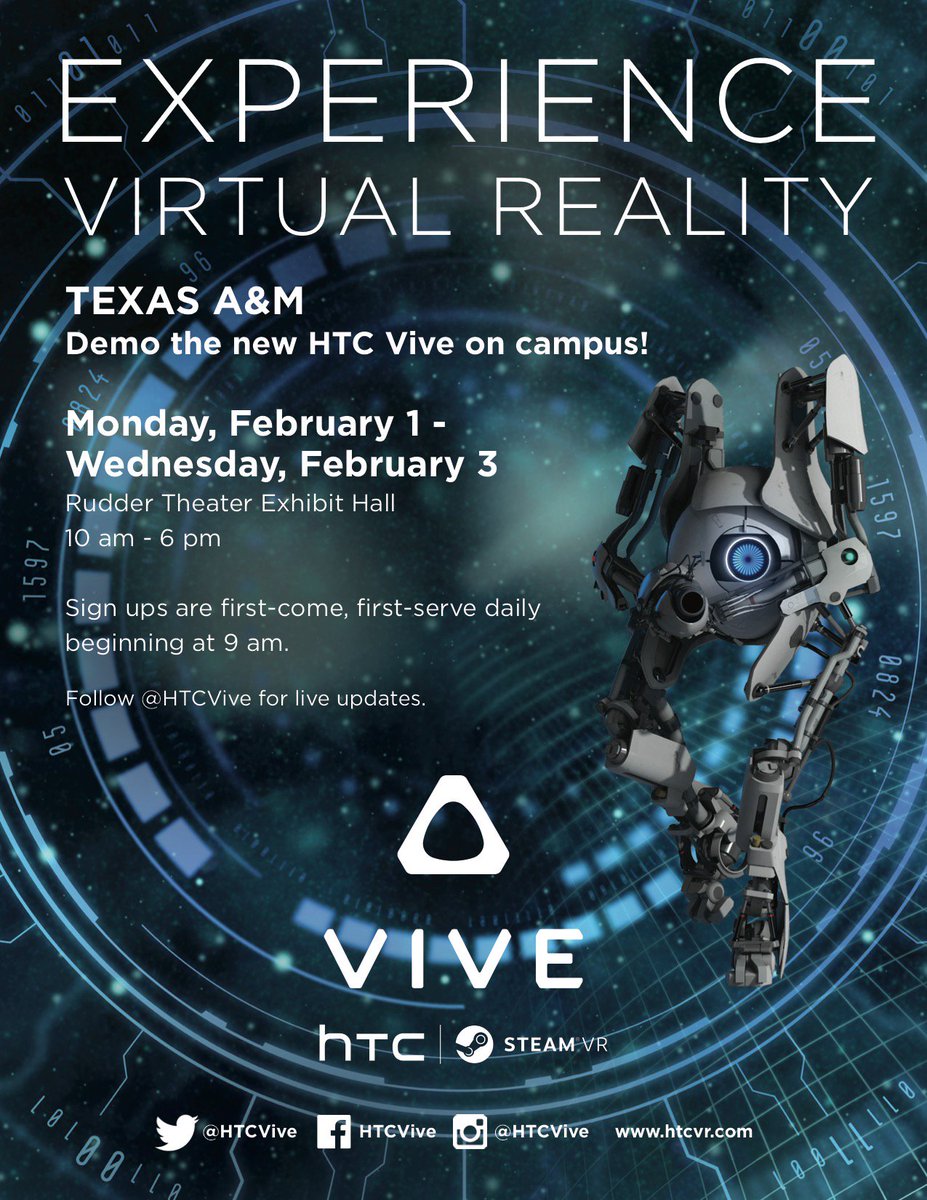
For those of you interested in trying VR, there are some great SteamVR demos going on Feb 1-3 in the Rudder Theater Exhibit Hall (ground floor entrance behind the Rudder statue). Demos are going on 10am-6pm, first come first serve or by stopping by to schedule a time.
VR Demo Flyer

VR Demo Flyer

After Effects explorations
I spent the weekend focused on the presence of type and thinking about what it looks like as it is formed from 'nothing'. Almost like it is being discovered or found.
"Not until we are lost so we begin to understand ourselves." -Henry David
Tutorial of the Day:
How to follow a trim path in after effects and the use of expressions to generate efficient movement.
Tutorial: https://vimeo.com/71113959
My own exploration:
Other inspirations:


I spent the weekend focused on the presence of type and thinking about what it looks like as it is formed from 'nothing'. Almost like it is being discovered or found.
"Not until we are lost so we begin to understand ourselves." -Henry David
Tutorial of the Day:
How to follow a trim path in after effects and the use of expressions to generate efficient movement.
Tutorial: https://vimeo.com/71113959
My own exploration:
Other inspirations:


Subscribe to:
Posts (Atom)